The best supplies for printing greeting cards at home depend on your printer, preferred card size, and finish. Avery half-fold cards are a straightforward choice for inkjet printing, while PPD offers photo-friendly glossy fronts and a larger option with envelopes included. For smaller notes, Avery’s textured cards provide a compact format. Compare the five options below by size, paper finish, quantity, and stated printer suitability before choosing.
| Product | Best For | Format |
|---|---|---|
| Avery Half-Fold, 30 Cards | Everyday inkjet card printing | 5.5 × 8.5 inches folded |
| PPD Greeting Card Paper, 50 Sheets | Higher-volume projects with envelopes | 5.5 × 8.5 inches folded |
| PPD Greeting Card Paper, 20 Sheets | Photo-forward inkjet cards | 5.5 × 8.5 inches folded |
| Avery Printable Note Cards | Smaller thank-you notes | 4.25 × 5.5 inches |
| Joyberg Blank Cards and Envelopes | Compact DIY cards and craft work | 4 × 6 inches folded |
Avery Half-Fold Greeting Cards, 30 Count

These 5.5-by-8.5-inch folded cards are made from 80 lb / 216 gsm matte white cardstock and include envelopes. Avery says the cards are optimized for inkjet printers, stay flat and secure during printing, and fold along pre-scored lines. The matte surface suits designs with readable text, branding, or thank-you messages.
Best for: People who want a standard half-fold card format and a stated inkjet-printing focus. This 30-card package is a practical pick for a moderate batch. Limitation: The listing specifies inkjet printers, so do not assume suitability for a laser printer.
PPD Half-Fold Cards With Envelopes, 50 Sheets

This set contains 50 sheets of 8.5-by-11-inch cardstock that fold to 5.5 by 8.5 inches, plus matching envelopes. The 10.9 mil, 260 gsm cardstock has a glossy outside for photographs and a matte inside for text. The cards and envelopes are described as prescored to simplify folding.
Best for: Inkjet users making a larger batch of photo cards, invitations, or thank-you notes who want envelopes included. Limitation: The glossy exterior may not suit designs that need a uniformly matte appearance.
PPD Glossy Half-Fold Cardstock, 20 Sheets

PPD’s 20-sheet set uses 8.5-by-11-inch paper that folds to 5.5 by 8.5 inches. It is listed as 10.9 mil, 240 gsm cardstock, with a glossy front and matte interior. The prescored fold is intended to make assembly easier, and the product is described for inkjet printing.
Best for: Smaller inkjet projects where a glossy, photo-oriented front matters more than a large sheet count. Limitation: Envelopes are not listed as included with this 20-sheet option, so plan to source them separately if needed.
Avery Textured Printable Note Cards
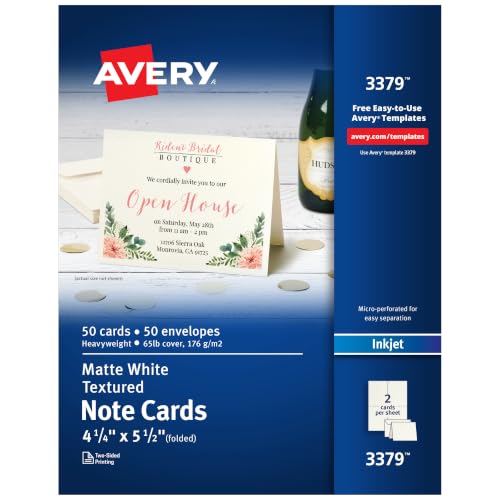
These 4.25-by-5.5-inch note cards use 65 lb / 176 gsm textured white cardstock and come with envelopes. They are optimized for inkjet printers. Avery lists pre-scored folds and micro-perforations for clean detachment, making this format useful when a smaller note is preferable to a full-size greeting card.
Best for: Inkjet users printing compact thank-you notes or branded correspondence in a 50-card quantity. Limitation: The smaller size provides less room for large images or long messages than a half-fold card.
Joyberg 4-by-6 Cards and Envelopes

This pack includes 30 blank 4-by-6-inch folded cards and 30 envelopes measuring 4.25 by 6.25 inches. The cards are described as 200 gsm, uncoated cardstock; the envelopes use peel-and-seal adhesive strips. The uncoated surfaces are also described as suitable for markers and watercolors.
Best for: Crafters who want a compact card format, matching envelopes, and a surface for both printed and hand-applied details. Limitation: The listing does not specify printer type or printer compatibility. Check your printer’s supported paper size and media weight before printing.
Buying Guide: How To Choose Printable Greeting Cards
Which size and fold should you choose?
Start with the finished card size and the design layout. Half-fold 5.5-by-8.5-inch cards provide more space for photos and longer messages. The 4.25-by-5.5-inch Avery note cards and 4-by-6-inch Joyberg cards are more compact. Check the product’s unfolded sheet size and fold direction when setting up a document.
Does printer compatibility matter?
Yes. The Avery products and PPD sheets described here are optimized or intended for inkjet printing. The Joyberg listing does not state printer compatibility. Confirm that your printer accepts the paper dimensions and cardstock weight, and follow the printer’s loading instructions. When uncertain, test one sheet before printing a full batch.
Should you pick matte, glossy, or textured stock?
Matte stock is a versatile option for text and simple designs. PPD’s glossy exterior is aimed at photographic presentation, while its matte interior supports readable messages. Avery’s textured note cards offer a different tactile finish. Consider where the main design will appear and whether you plan to write on the card by hand.
Are envelopes included?
Check the package details rather than assuming. Envelopes are listed with both Avery options, the 50-sheet PPD option, the Avery note cards, and Joyberg’s set. The PPD 20-sheet product description does not list envelopes. Also compare the envelope dimensions with the finished folded card.
Frequently Asked Questions
What is the best paper for printing greeting cards at home?
Choose cardstock specifically described for your printer type. For inkjet printing, the Avery and PPD products here identify inkjet use; compare finish, size, and weight to match your project.
Can I print greeting cards on regular printer paper?
You can print a design on regular paper, but it will not have the heavier feel of cardstock. Confirm your printer supports the cardstock weight before loading specialty paper.
Do printable greeting cards come with envelopes?
Some sets do and some may not. Check the individual product details; the PPD 20-sheet option listed here does not specify included envelopes.
How can I make a folded greeting card print correctly?
Set the document to the unfolded sheet size and arrange the front, inside, and back panels for the intended fold. Check the printer’s paper orientation and run a test print before producing multiple cards.