When planning wedding invitations, the right address labels can save time and elevate the look of your mail. This guide highlights five top printable address label options that work well with laser and inkjet printers, focusing on clarity, ease of use, and compatibility with wedding stationery. Ideal buyers include busy couples sending invitations, event planners coordinating weddings, and anyone wanting a professional finish without hand-addressing each envelope.
Below is a quick comparison of the selected products to help you decide at a glance. The table notes each label type’s finish, size, and best-use scenario.
| Product | Finish | Size | Best For |
|---|---|---|---|
| Avery Sure Feed Glossy Clear (6521) | Glossy Clear | 1″ x 2-5/8″ | Disappears on glass or plastic; fast peeling |
| Lincia Greenery Eucalyptus (600 pieces) | Matte White with printed design | 2-5/8″ x 1″ | Budget-friendly, decorative address labels |
| JAM Paper Gold Metallic | Gold Metallic | 1″ x 2-5/8″ | Statement envelopes, festive look |
| Bunny Badges Personalized (100–1000 labels) | Standard White | 2.5″ x 0.75″ | Custom wedding venue or host names |
| Avery Frosted Clear (15660) | Frosted Clear | 1″ x 2-5/8″ | Subtle, high-end appearance |
Avery Printable Address Labels with Sure Feed (6521)
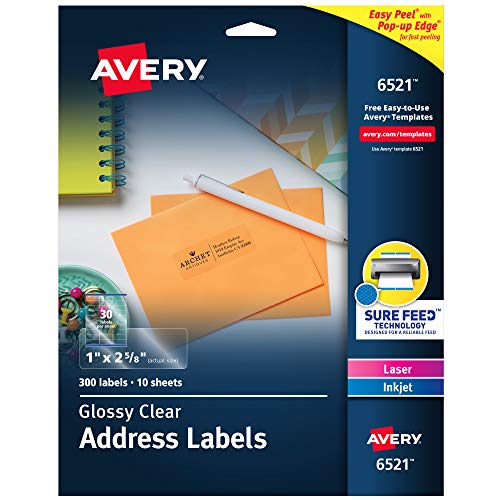
Finish: Glossy crystal clear with a virtually invisible look on glass or plastic. Size: 1″ x 2-5/8″. Best for: Minimalist weddings where you want your label to blend into envelopes or glassine surfaces. The Sure Feed technology improves printer reliability, while the Easy Peel pops up edges for quick application. Limitation: Glossy finish may show ink bleed if not properly aligned on very dark envelopes.
Lincia Greenery Address Labels (600 pcs)

Finish: White with decorative eucalyptus design; printable on standard white adhesive labels. Size: 2.62″ x 1″ per label (A4 sheet format). Best for: Budget-conscious couples wanting a cohesive, nature-inspired invitation suite without custom printing. The set includes 600 labels across 20 sheets. Caution: The design is decorative; ensure it aligns with your envelope color and font choices.
JAM Paper Gold Metallic Return Address Labels

Finish: Gold Metallic; Size: 1″ x 2-5/8″. Best for: Adding a festive, elegant touch to wedding invitations. Available in a compact pack of 120 labels, with multiple sheets per pack. Limitation: Metallic ink may require careful alignment and print settings to avoid misfeeds on some printers.
Bunny Badges Personalized Return Address Labels

Finish: White standard labels; Size: 2.5″ x 0.75″. Best for: Customizing with names and return addresses for a polished, classic look. The option supports quantities from 100 to 1000. Limitation: May require larger envelope space due to longer return address lines or decorations.
Avery Easy Peel Matte Clear (8160)
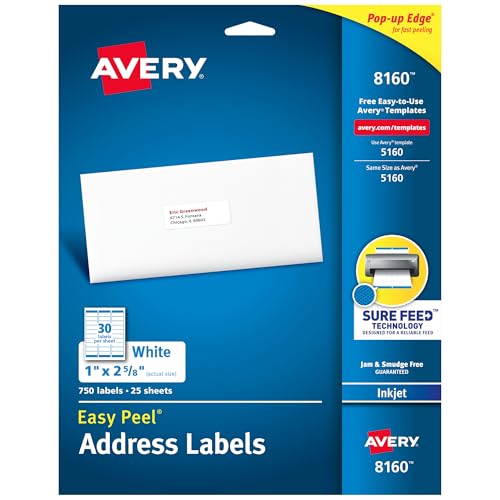
Finish: Matte clear; Simple, non-gloss finish that remains visible on light envelopes. Size: 1″ x 2-5/8″. Best for: Situations requiring a non-glossy, subtle address label with easy, reliable printer feeding. The Sure Feed technology helps reduce misalignment. Limitation: Matte finish may be less forgiving on very light ink hues compared to glossy options.
Buying Guide: What to Consider When Choosing Wedding Address Labels
What finish should I choose for wedding invitations?
Glossy labels provide a seamless, almost invisible look on clear or light-colored envelopes, while frosted or matte finishes offer a subtle, traditional feel. Metallic finishes can add a celebratory touch but may require printer settings adjustments.
Which size is best for invitation envelopes?
Common sizes are 1″ x 2-5/8″ for standard return addresses and small front labels. If you include intricate designs or longer names, consider a larger label or a template that accommodates more characters without wrapping.
What about printer compatibility and ease of use?
Look for labels with Sure Feed or Easy Peel features to minimize jams and misfeeds. Ensure your printer supports the label type (laser or inkjet) and check that the sheet density is suitable for your printer model.
Should I personalize or keep a standard label?
Personalized labels can add a unique touch to your wedding suite, especially for formal events. If you’re mailing many invitations, standardizing to a single design streamlines production and saves time.
How many labels will I need?
Estimate the number of invitations plus any additional items (RSVP cards, envelopes, rehearsal dinner invites). It’s common to order extras to account for printing errors or last-minute changes.
Design alignment and envelope color considerations
Test print on a blank sheet to verify alignment. Light envelopes or translucent papers can affect legibility, so choose high-contrast fonts and consider labeling with a slightly larger font for readability.
Durability and longevity
Choose labels with strong adhesive and fade-resistant ink if invitations are stored before being opened or if they must survive mailing in various conditions.
Summary of recommended choices
- Best overall blend of readability and printer reliability: Avery Sure Feed Glossy Clear (6521)
- Best decorative option for greenery-themed invites: Lincia Greenery (600 pcs)
- Best metallic statement label: JAM Paper Gold Metallic
- Best range of customization with wedding personalization: Bunny Badges Personalized (100–1000)
- Best non-glossy, understated look: Avery Frosted Clear (15660)
FAQ
- How do I choose between laser and inkjet labels? Answer: Check compatibility on the product page; most modern label sheets support both, but you may need to adjust printer settings for optimal ink adhesion and alignment.
- Can I reuse a label sheet for multiple envelope sizes? Answer: Label sheets have fixed sizes; choose labels that fit your envelope sizes or use sheets designed for standard mailings.
- Will the labels smudge with ink from handwritten notes? Answer: Printed labels should be dry before handling; gloss finishes tend to be more resistant to smudging when properly dry.
- Is it better to order extra labels or rely on exact counts? Answer: It’s prudent to order extra (5-10%) to cover misfeeds, failed prints, or last-minute additions.
- Do metallic labels work well with all printers? Answer: Metallic finishes can require precise print settings and higher-quality ink; test print on a similar envelope before full production.
- What’s the best way to store a large batch of labels before use? Answer: Keep in a cool, dry place and in the original packaging to minimize humidity effects on adhesive and finish.