Answering the question for crafters and artists who need precise tracing, these craft projectors are selected for clarity, ease of use, and reliability across styles from cake decorating to canvas painting. The list focuses on models that offer clear image projection, stable stands, and practical connectivity. Ideal buyers include beginners seeking simple setup, professionals who trace intricate designs, and hobbyists exploring mixed-media projects. Below is a quick, at-a-glance table of the five best options to consider.
| Product | Best For | Key Benefit |
|---|---|---|
| GiftmiyHime Art Projector | Artists needing online/offline flexibility | 5G dual-band WiFi with real-time precision |
| Caydo S1 LED Art Projector | No-hassle tracing with large enlargement | 2.5x–11x optical enlargement; long LED life |
| Yuntec Optical Drawing Board | Beginners seeking PMMA lens clarity | Premium PMMA lens; smart app for sketching |
| GIKUCNZL Drawing Projector | Dual-purpose for tracing and projection | Large projection range; easy connectivity |
| RTSTEC Art Projector | iPhone/iPad users for wireless casting | AirPlay/iPhone compatibility; bright projection |
GiftmiyHime Art Projector For Tracing
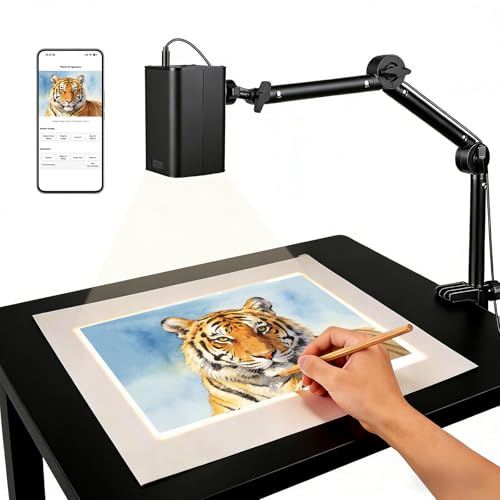
Best for artists who want real-time accuracy with a robust 5G dual-band connection. The GiftmiyHime model supports iOS and Android via web control after scanning a QR code, removing the need for apps. It also offers online and offline modes for work in studios or remote settings. A focus adjustment button makes fine-tuning effortless, helping trace detailed lines with minimal latency. Use this when you need quick setup and reliable projection in varying environments.
Who it’s best for: professional or serious hobby artists who value fast, stable connections and browser-based control. Limitation: the device relies on browser control for some settings, which may feel slower on low-bandwidth connections.
Caydo S1 LED Art Projector For Tracing
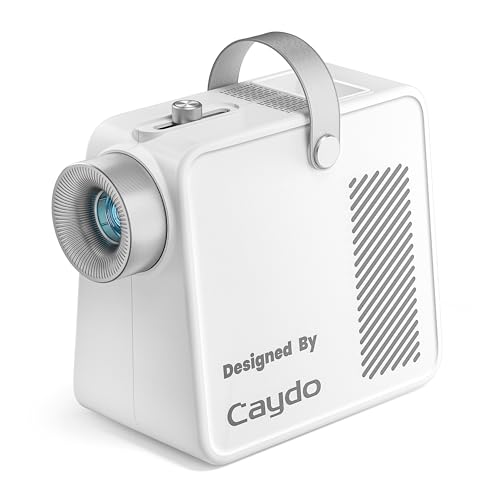
Best for users who want image enlargement without digital steps. The Caydo S1 uses an optical magnification system offering 2.5X to 11X enlargement from 20″ to 80″. It emphasizes a bulb-free design with a 20,000-hour LED lamp and a quiet 5,000-lumen output for clear tracing, with a top sliding knob to focus quickly. Choose this when you prioritize fast setup and crisp, large projections without app dependence.
Who it’s best for: crafters needing rapid tracing of larger templates or murals. Limitation: no digital connectivity or app integration; relies on optical enlargement and LED lamp longevity.
Yuntec Optical Drawing Board Projector
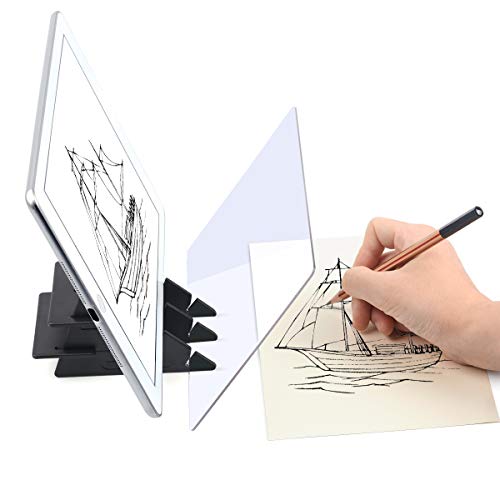
Best for beginners who want a compact, optical projection with a dedicated PMMA lens. The Yuntec unit uses a PMMA optical lens with anti-ghosting coating and offers a smart app option for converting images into sketches. It’s suitable for artists who prefer a hardware lens approach with optional digital adjustments via an app. An advantage is a safe, resin PMMA lens that supports precise tracing on opaque media.
Who it’s best for: new artists seeking a simple upgrade from manual projection to digital tracing. Limitation: app features vary by language and device compatibility; verify compatibility before purchasing.
GIKUCNZL Drawing Projector With Stand
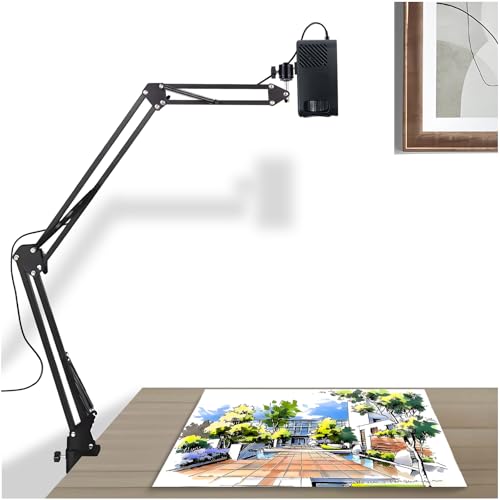
Best for adults and hobbyists who want a dual-purpose device that can project images or be used as a traditional sketching aid. This projector supports up to 31.4 inches of painting area and offers wired and wireless connectivity for easy device pairing. It’s a versatile option for studio setups or classroom use where larger tracing surfaces are beneficial. A potential limitation is that some users might prefer more modern smart features or higher native resolution for tiny details.
Who it’s best for: artists who need a larger projection footprint and flexible connectivity. Limitation: not all models include the latest smart features or ultra-high-definition output.
RTSTEC Art Projector For Tracing

Best for iPhone and iPad users who prefer wireless projection through AirPlay or screen mirroring. This model emphasizes compatibility with Apple devices and offers input options via USB and HDMI. It is suitable for Canva projects, canva tracing, or classroom demonstrations where wireless projection from an iPhone is convenient. A limitation is limited Android support, so verify device compatibility if you use non-Apple systems.
Buying Guide
- What projection size do you need? Large murals or wall art may require bigger throw distances and higher brightness.
- How will you connect? Decide between optical-only versus digital connectivity with apps or AirPlay for easier workflow.
- Power and portability: consider whether a stand, battery option, or light-weight frame matters for your workspace.
- Focus and clarity: check for quick-focus controls and lens quality to reduce trial-and-error during tracing.
- Media compatibility: ensure your source devices (phone, tablet, laptop) are supported by the projector’s input options.
- Reliability in different environments: online/offline modes can be important in studios with inconsistent WiFi.
FAQ
- Can these projectors trace photos directly from a smartphone? Yes, several models support wireless screen mirroring or web control from mobile devices.
- Do these units require replacement bulbs? Some models use LED lamps with long lifespans, reducing bulb replacements.
- Is an app needed to trace? Some models use companion apps; others rely on optical projection without apps.
- What is the best option for beginners? Models with simple focus controls, offline functionality, and clear manual instructions are ideal.
- Can I use these for canvases and crafts beyond tracing? Yes, many are suitable for sketching, painting preparation, and light projection tasks.
- Are these compatible with iOS and Android? Several options support both platforms, while a few target Apple-only features or AirPlay-specific workflows.